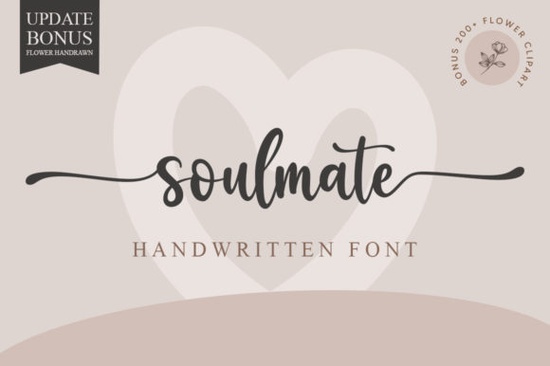
If you've been searching for a handwritten font that feels romantic, graceful, and easy to work with, Soulmate is worth a close look. It's an elegant script typeface with soft, flowing strokes that mimic natural handwriting. Whether you're designing wedding invitations, crafting thank-you cards, or building a brand identity, this font brings a personal, warm touch to every project.
What Kind of Style Does Soulmate Font Offer?
Soulmate is a handwritten script font with a refined, feminine feel. The letterforms connect smoothly, giving your text a natural cursive look without feeling messy or hard to read. It sits in that sweet spot between casual and polished elegant enough for formal invitations but approachable enough for everyday creative work.
The thin, flowing strokes have just the right amount of contrast. They don't feel stiff or overly geometric. Instead, they carry the kind of organic movement you'd expect from actual pen on paper.
What Projects Work Best with This Font?
This is one of those fonts that fits a surprisingly wide range of uses. Here are some of the most common projects where Soulmate shines:
- Wedding invitations and save-the-dates
- Thank-you cards and greeting cards
- Inspirational quote designs for wall art or social media
- Logo design for boutiques, florists, photographers, or lifestyle brands
- Business cards and stationery
- Print-on-demand products like mugs, tote bags, and t-shirts
- Blog headers, Pinterest graphics, and email signatures
If you're working on wedding stationery, pairing Soulmate with a clean sans-serif creates a beautiful contrast. For holiday card designs, you could combine it with a decorative seasonal font for extra flair.
How Do You Access All the Glyphs and Swashes?
One of the best things about Soulmate is that it's PUA encoded. That stands for Private Use Area, and it means every glyph, alternate character, and swash is accessible even if your design software doesn't have advanced OpenType support.
To use the extra characters, you can:
- Open a character map tool (like the Windows Character Map or a third-party app)
- Browse the available alternates and swashes
- Copy and paste the ones you need into your design
This is especially helpful for crafters using programs like Cricut Design Space or basic text editors that don't fully support OpenType features. You won't miss out on any of the decorative extras.
What Fonts Pair Well with Soulmate?
Since Soulmate is a flowing script, it pairs best with simpler, more structured typefaces. Think clean sans-serifs or light serif fonts for body text. You want the script to be the star without competing lettering styles fighting for attention.
If you're building a collection of script fonts for different projects, here are some other options worth exploring:
- For an elegant signature script style, try something with bolder, more confident strokes
- A soft and playful handwritten font works well for casual branding or social media posts
- If your style leans more farmhouse or rustic, a cozy hand-lettered typeface fits right in
- For relaxed, beachy vibes, consider a laid-back brush script
- Seasonal projects call for a festive decorative script to match the mood
Having a few different script styles on hand means you can always find the right tone for each client or project.
Is It a Good Fit for Small Businesses and POD Sellers?
Absolutely. If you run a print-on-demand shop or sell digital products like printable wall art or invitation templates, a versatile font like Soulmate saves you time. The elegant style appeals to a broad audience brides-to-be, gift shoppers, home decorators and it works across many product types.
For small business owners, it's useful for creating branded materials without hiring a designer. Think menu cards for a café, packaging labels for a candle business, or thank-you inserts for Etsy orders. The handwritten feel adds a personal, trustworthy quality that customers notice.
The PUA encoding also means you can use it freely in commercial projects without technical headaches. Just make sure to check the specific licensing terms on the product page before using it for resale items.
Quick Checklist Before You Start Designing
- ✅ Download the font and install it on your system
- ✅ Test the swashes and alternates using a character map tool
- ✅ Pair Soulmate with a clean, simple font for body text
- ✅ Check the license details for your intended use
- ✅ Try it on at least two or three different projects to see how versatile it really is
Tip: Start with a simple project like a quote card or thank-you note. Once you're comfortable with the character set and alternates, move on to more complex layouts like invitations or branding kits. You'll get a feel for the font's rhythm pretty quickly.
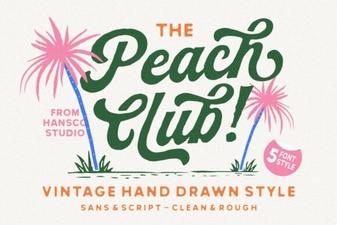 Peach Club Font: a Playful & Versatile Typeface for Creators
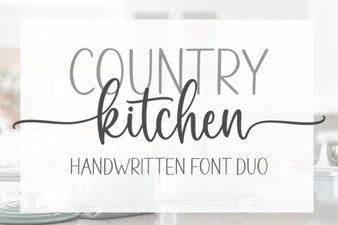 Country Kitchen Font: Rustic Charm for Creative Designs
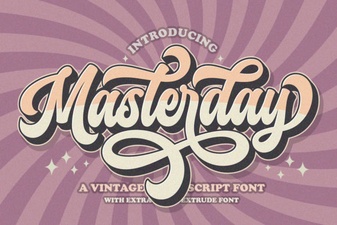 Masterday Font - Elegant Script Font for Creative Designs
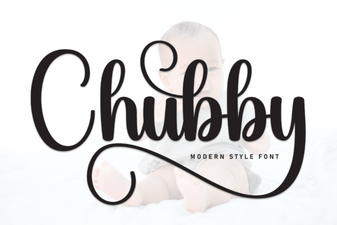 Chubby Font Design: Bold Playful Typography for Creative Projects
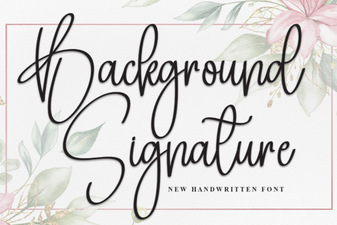 Elegant Background Signature Font Ideas for Creative Designers
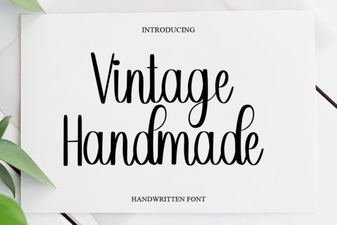 Vintage Handmade Font Designs for Creative Projects